Google Business Profile for aesthetic clinics and salons in Los Angeles: step-by-step guide
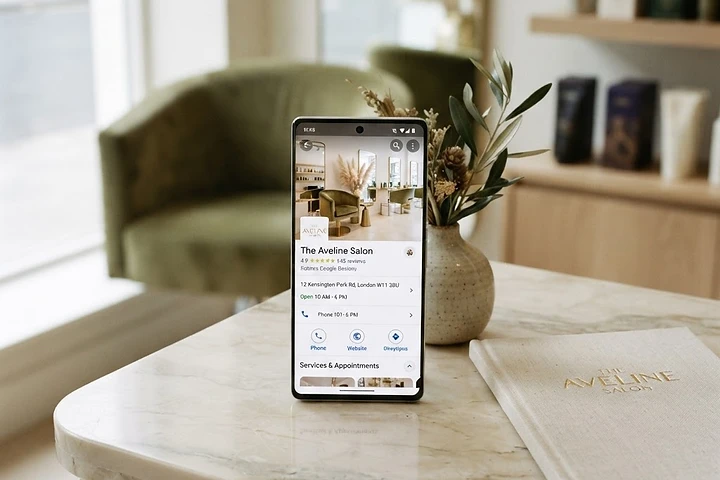
When someone searches "lashes in Los Angeles" or "med spa near me", the first thing that appears is the Google Business Profile. That listing with the address, hours, photos, and reviews is your most important digital storefront — more than Instagram, more than your website.
And yet, so many salons have it incomplete, with no photos, outdated hours, or unanswered reviews. Every missing detail is a client who keeps scrolling and books with the competition.
Here's the step-by-step guide to optimizing your Google Business Profile, designed for salons and aesthetic clinics in Los Angeles.
Step 1: Claim or create your listing
If you've never claimed it, go to google.com/business and search for your salon's name. If it already exists (Google creates it automatically), claim it by verifying you're the owner. If it doesn't exist, create it from scratch.
Verification is usually done by postal mail (Google sends a card with a code) or, in some cases, by phone or email. Once verified, you can edit everything.
Step 2: Complete every section (skip none)
Google gives more visibility to complete listings. These are the fields you can't leave empty:
- Business name: use your real name. Don't stuff keywords ("Lashes Eyelashes Los Angeles Cheap") because Google penalizes it.
- Category: choose the most specific one. "Beauty salon" is better than "Aesthetics", but "Lash studio" is even better if that's your case.
- Address: if you work from a location, enter it. If you go to clients, define your service area.
- Hours: update them whenever they change. Incorrect hours mean a client who showed up and you were closed.
- Phone: the number you want them to call.
- Website: this is where your site with online booking goes. If you don't have a site, at least link to your WhatsApp or calendar.
- Description: 750 characters to tell what you do, for whom, and why choose you. It's not for stuffing keywords; it's for the client to get to know you.
Step 3: Photos (the part that matters most)
Photos are what clients look at most before booking. A salon with no photos or bad photos loses clients who were already decided.
- Upload at least 20 photos: of the space, of your work (before and after), of the team, and of you.
- Use real photos, not stock images: clients notice when the photos aren't yours.
- Prioritize the work, not just the space: a client looking for lashes wants to see lashes, not just the reception desk.
- Update photos every month: old photos make the salon look inactive.
Step 4: Reviews (and how to ask for them)
Reviews are the second biggest factor in the booking decision, after photos. And they're free: you just need to ask for them.
- Ask every happy client for a review: after the service, send a message with the direct link to your listing.
- Respond to all of them: thank the good ones, stay calm and offer a solution for the bad ones. A professional response to a bad review is worth more than the review itself.
- Don't buy reviews: Google detects them and penalizes you. Besides, clients notice when they're fake.
Review request template:
Hi! I loved taking care of you today. If you have a minute, you'd do me a huge favor by leaving a review on my Google listing: [link]. It helps other clients find me and helps me keep growing. Thank you so much!
Step 5: Posts and offers
Google lets you post updates (offers, news, events) directly on the listing. Many salons ignore it, but each post sends an activity signal that Google rewards.
Post at least once a month: a featured service, a seasonal offer, or a schedule change.
Want this to work on its own in your beauty business?
In 2 minutes you'll discover exactly where clients are slipping away and what to do about it.
Take the free diagnosisStep 6: Google Messages
Google allows clients to message you directly from the listing. If you turn it on, make sure to reply fast — or better, connect an AI that replies for you. An unanswered message on your Google listing is worse than not having it on.
Step 7: Insights and responses
In the Google Business Profile dashboard you see how many times you were searched, how many called, and how many asked for directions. Review this data at least once a month to understand what clients are looking for and adjust.
What not to do
- Don't put keywords in the business name.
- Don't leave old hours.
- Don't ignore reviews, not even the good ones.
- Don't upload low-quality or stock photos.
- Don't leave the listing unupdated for months.
On autopilot
Optimizing the listing once isn't enough. You have to maintain it: ask for reviews, respond, post, update hours. At Beauty Autopilot AI we set up all of this for your salon, including an AI that answers Google messages in seconds. If you want us to review it with you, book your free call.
Book your free call
We'll review your business and show you how a website, a funnel, and a booking system would fill your calendar.
Book my call